For a few weeks now, I feel like I'm 14 again.
Back then it was Beepworld, phpBB2 forums, Dreamweaver – cobbling together little digital worlds from whatever I could find. I didn't understand half of what I was doing. But I understood the feeling: you have an idea, you open a tool, you make something real. That was the early web for me, and it was incredible.
I never learned to code. My strengths turned out to be different – design, UX, Service Design, eventually leading teams and organisations. Twenty years of building things with and for other people, but always through tools someone else had made. The urge to build my own stuff never went away. I just didn't have the means to act on it.
The tools that are always almost right
If you work in design or consulting, you know this feeling. You use a tool every day that's 80% right, and the missing 20% slowly drives you insane.
Slide decks are my favourite example. I learned PowerPoint in my job training twenty years ago. I arranged myself with it, got good at it even. But PowerPoint is rigid, collaboration across departments is painful, and the moment you care about visual hierarchy or typographic control, you're fighting the software instead of using it.
So over the years, I looked at everything else. Figma Slides – interesting, but not deep enough. Markdown-to-slides tools – they ignore layout entirely. AI slide generators – generic output that looks like every other pitch deck. Keynote, Pitch, Google Slides – each with their own flavour of the same compromises.
Here's the thing, though: slides stick. They're still one of the most straightforward ways to present an idea, summarise a topic, explain something complex to a room full of people. Prove me wrong, but the format is valid. The tools just aren't.
What I actually need as a Design Leader in an enterprise context is specific: collaboration with different departments, pixel-level control over layout and hierarchy, flexibility from text-heavy knowledge slides to bold keynote statements, and – a dream I've had for many years – a clean separation of text and layout. The way HTML separates content from presentation. I've tried making markdown repositories in GitHub for exactly this purpose. It never stuck. But the idea stayed with me, especially since every AI tool I use now also speaks markdown natively.
When the barrier disappeared
I'd played with Vercel, Lovable, various AI-assisted building tools. Interesting experiments, but nothing that fundamentally changed what I could do on my own. Then Claude – specifically Opus and Claude Code – shifted something.
Not because it writes flawless code. It doesn't. But the barrier between "I understand this problem deeply" and "I can actually build a solution" collapsed. For the first time, my twenty years of understanding design problems became a direct input into building software. Not through a developer as translator, not through a ticket in someone's backlog – directly.
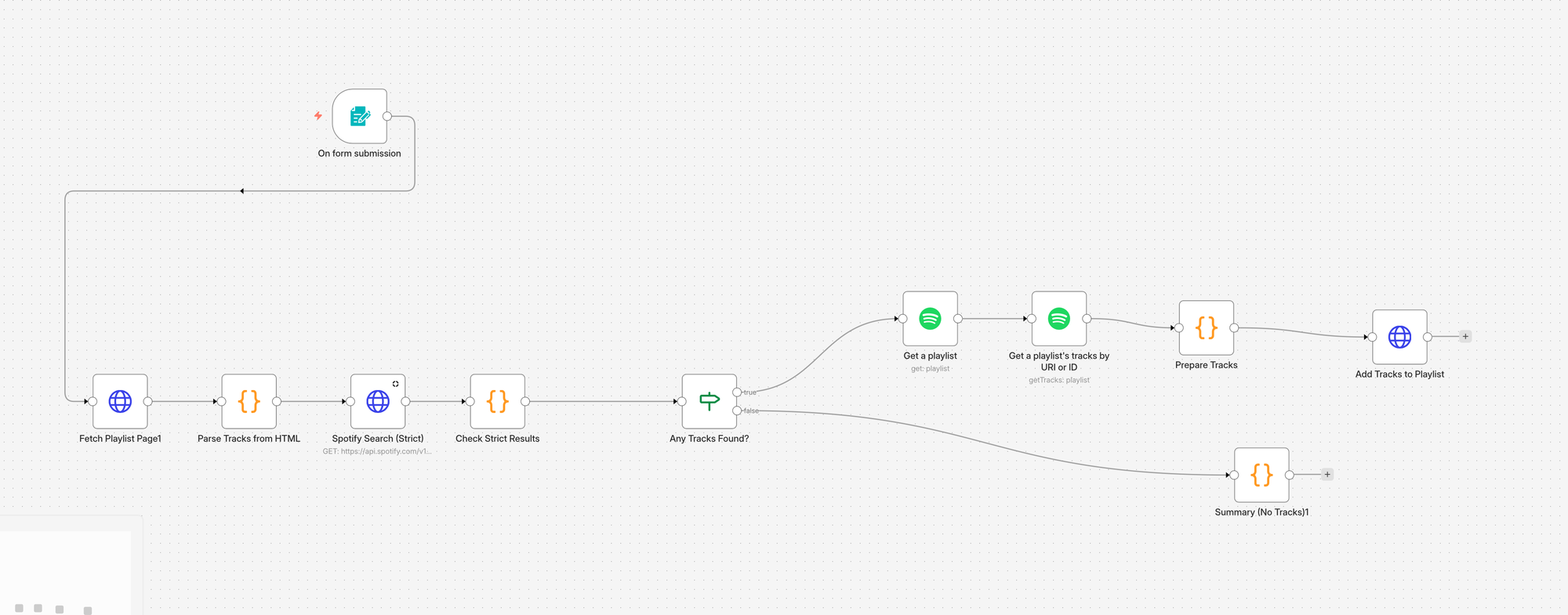
The first things I built were automation flows in n8n – one that reads and summarises articles for me, another that scrapes FM4's Davidecks playlists into my Spotify. Useful, but more like warming up than actually solving a real problem.
Then I moved to Figma. Through Figma Console MCP – the bridge between Claude and Figma – I started experimenting with things I'd avoided for years. Auto-layout, which I'd never properly learned after some overengineered button experiments back in Sketch, suddenly made sense with someone explaining and executing alongside me. I moved from auto-layout to component creation, then to building a full design system from explorative screens. The hypothesis was that design systems, with their clear rules and repeatable patterns, should be a good match for AI-assisted automation. It turned out to be right.
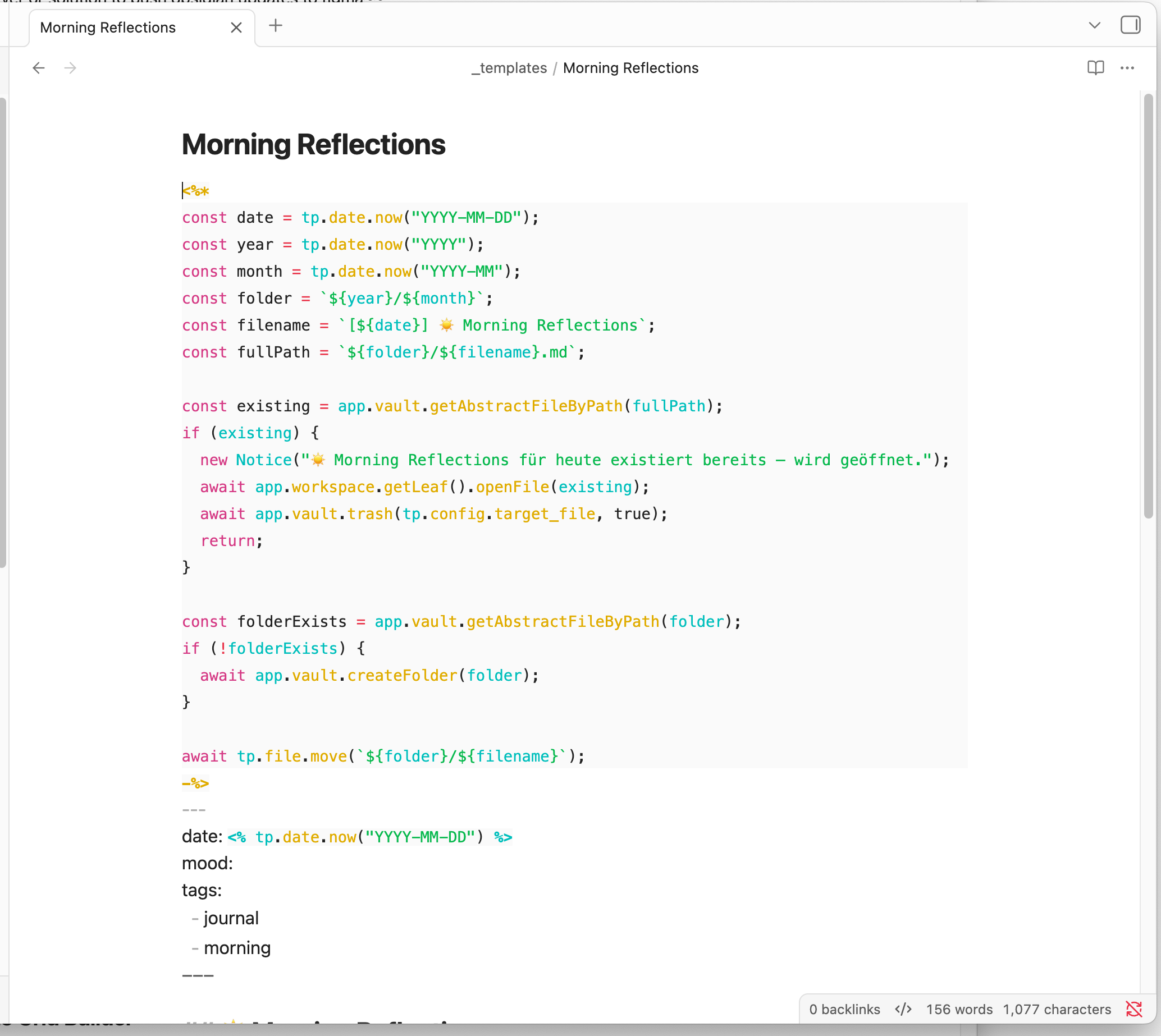
Around the same time, I replaced DayOne – my journaling app – with a self-hosted Obsidian setup. Morning and evening templates, all entries on Proton servers, everything in markdown in my own vault. The migration meant converting years of existing entries and fixing a myriad of formatting errors, which Claude handled. Two days of work, and I owned my journal data in a format that connects to everything else.
All of this happened within about two weeks. And once I saw that the automation flows, the Figma experiments, and the Obsidian migration actually worked, I decided to tackle the thing that had been bothering me the longest.
The slide deck plugin
I decided to build a presentation plugin for Figma. Not a standalone application – I'm not insane – but a plugin, because Figma already does the hard parts: variables, design system management, collaboration, auto-layout, alignment, SSO in enterprise environments. What it was missing is a structured way to create presentations without manually building every frame and text node by hand.
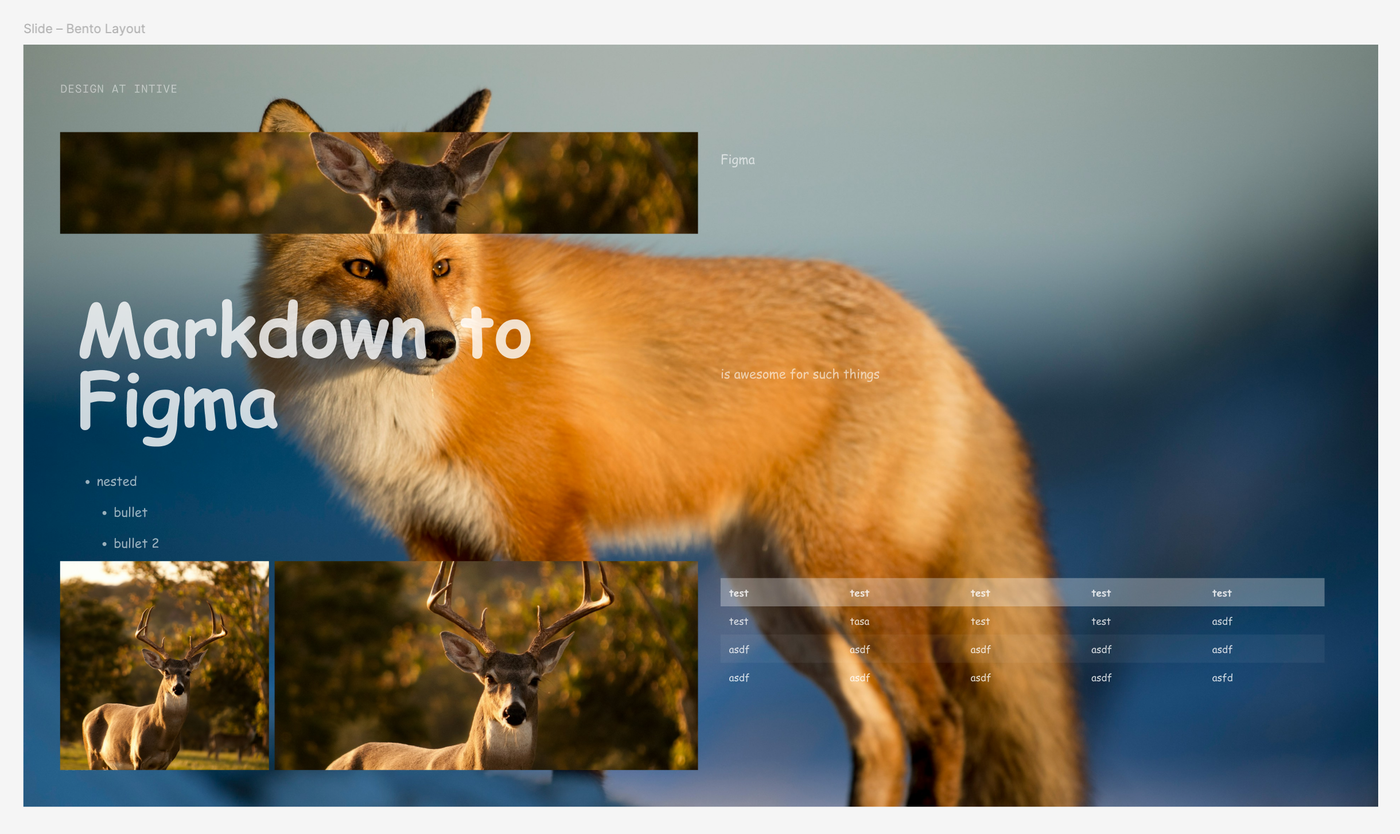
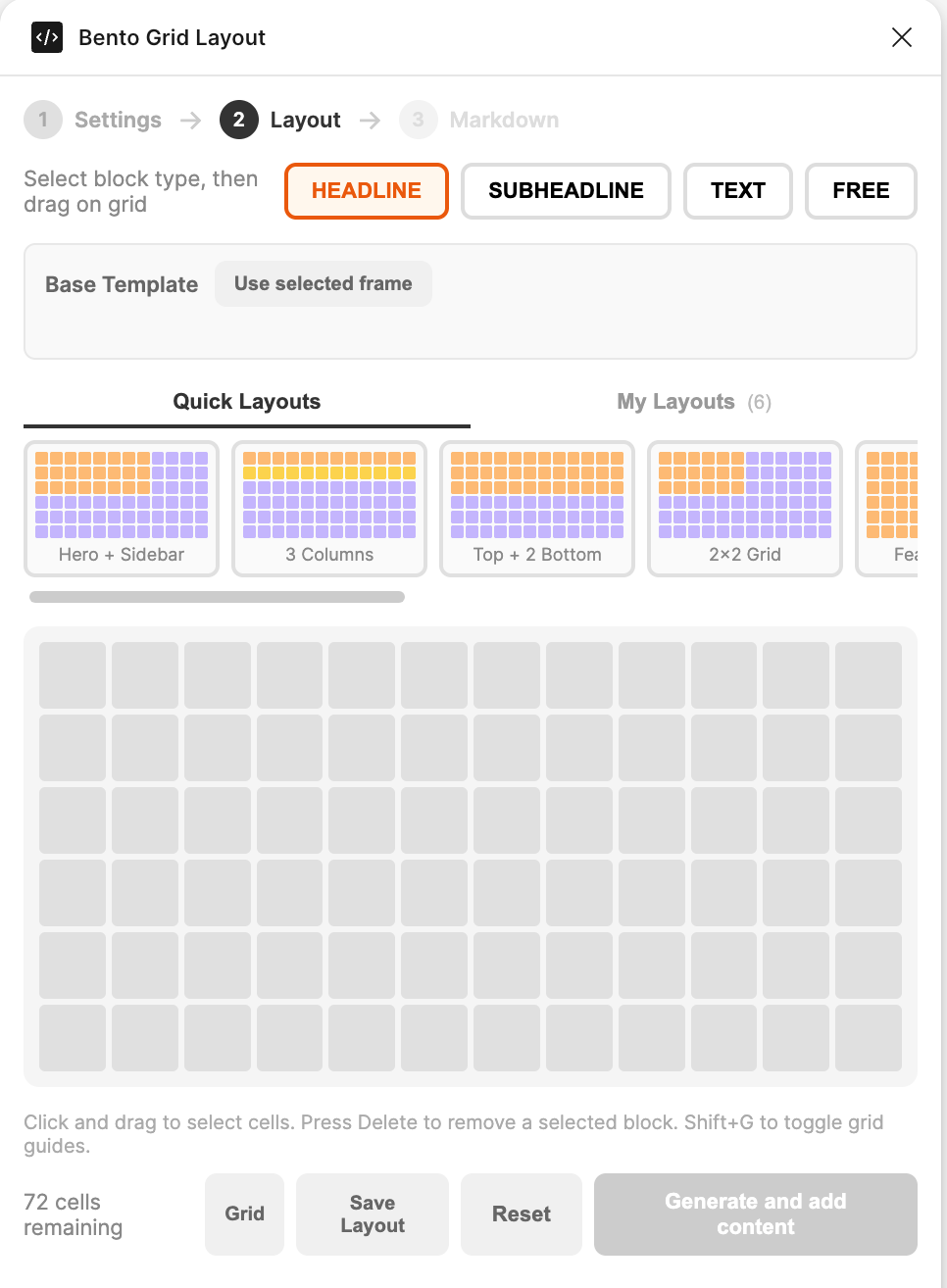
The core concept is a bento grid system on a 1920×1080 canvas with four block types – Headline, Subheadline, Text, Free. I can choose from four grid densities depending on the content – from a simple two-block keynote layout to a dense dashboard grid – and drag blocks into position with pixel-precise 8px gaps. Ten preset layouts as starting points, all fully editable after creation – rearrange blocks, hit Update, content re-applies. And if I've built a layout I want to reuse, I can save it as my own template for next time.
On top of the grid, the plugin generates a smart colour palette from three base colours, auto-expanding into eleven opacity steps each with automatic dark/light inversion per block. Typography runs on a display scale from 104px down to 20px with tight-to-loose leading, and the font intelligence scans all installed fonts and maps actual weight names correctly – "Regular" to "Book", "Bold" to "Black", whatever the typeface offers. The entire design system – font, padding, border radius, colours, typography – persists across sessions as Figma variables. Set it up once, it restores on every launch. And because it's a Figma plugin, collaboration, version history, auto-layout, video, transitions, and SSO come for free. I didn't have to build any of that infrastructure.
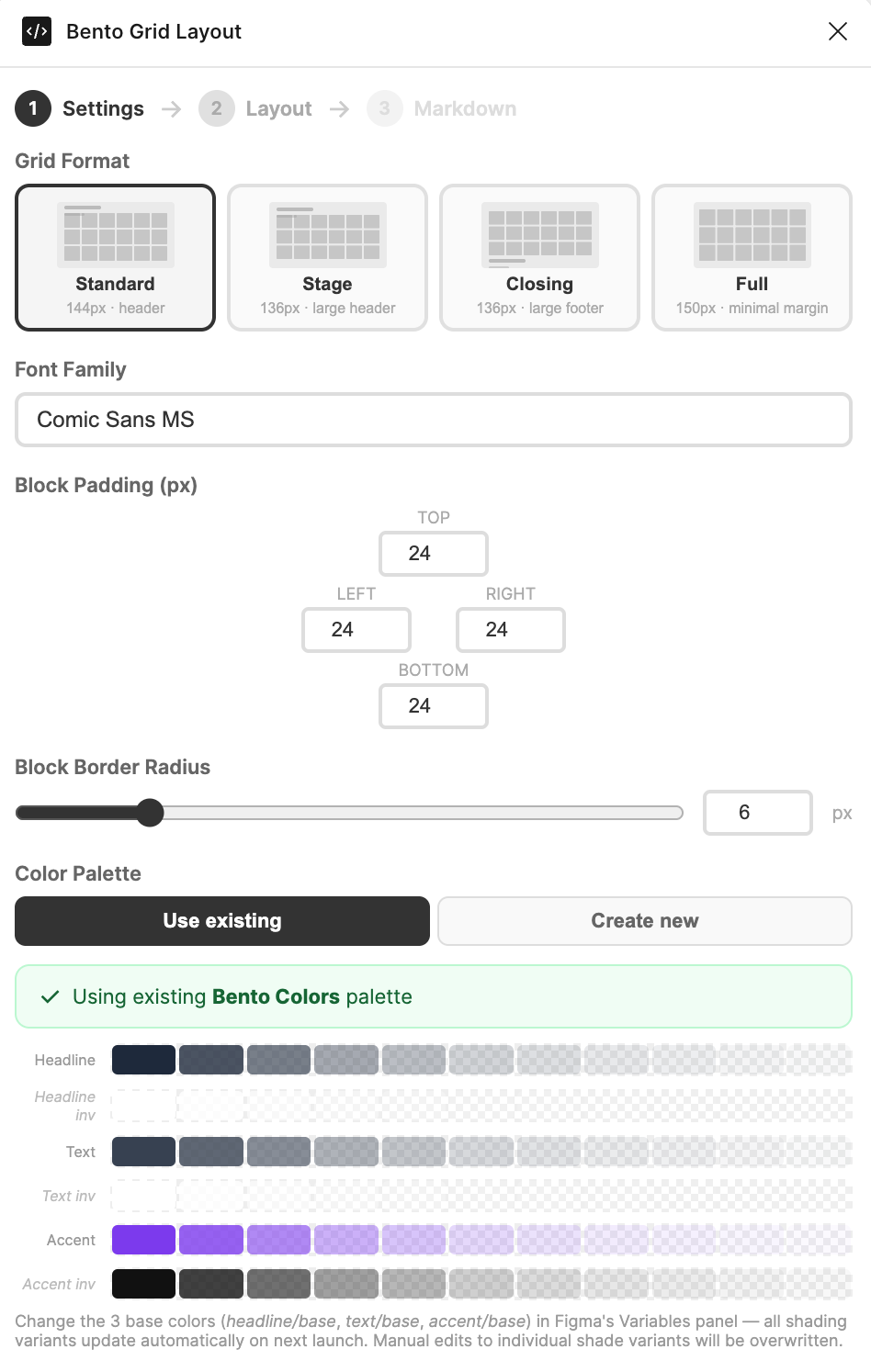
The text input is markdown – headings, bold, italic, nested lists, blockquotes, code blocks, and tables using standard markdown table syntax. Everything renders as native, editable Figma text nodes, not flattened images.
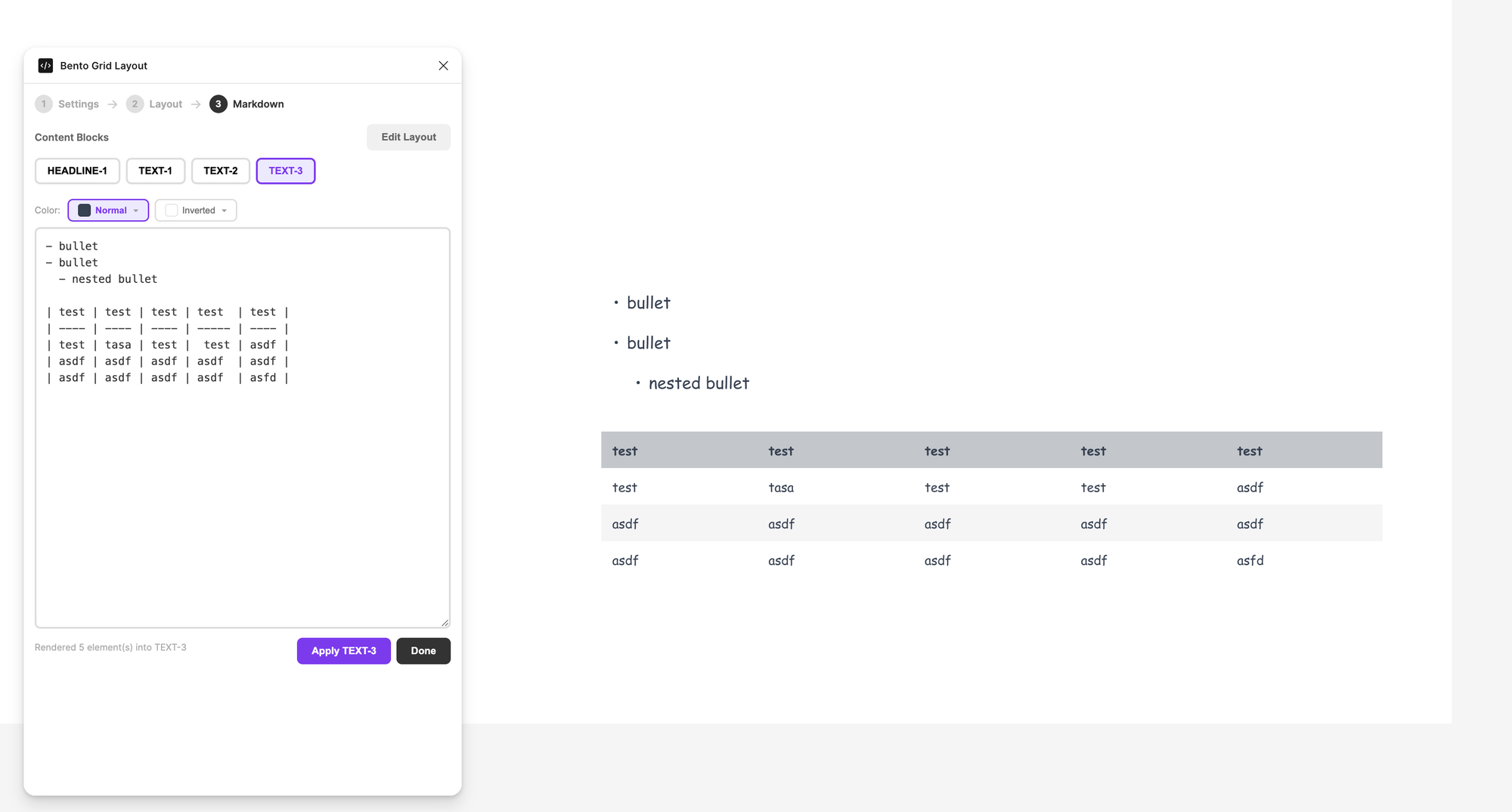
This is where it gets really interesting. Because the input is markdown, I can write my slide content in Claude or any other AI tool, copy it, and paste it straight into the plugin. The text-layout separation I'd wanted for years finally works – and it works precisely because markdown is the lingua franca between AI tools and structured content. I think about what I want to say in one place, and the grid handles where it goes and how it looks. Whether MCP could eventually establish a direct connection between an AI tool and the plugin – skipping the clipboard entirely – is an open question, but even without that, the copy-paste workflow between markdown and the bento grid is remarkably effective.
What I actually learned from all of this
The interesting thing isn't that AI can help non-coders write code – that's been said often enough, and it's only half the story. The interesting thing is that I can now build the tools I actually need, shaped by the workflows I live in every day, not by a brief I'd write for someone else. A Figma plugin that works exactly the way I think about presentations. A journaling setup that fits my own process. Automation flows that solve my specific annoyances.
If I can do this as a designer with no coding background, I think there's a real shift ahead for how product teams work – when designers, researchers, and strategists can prototype and build their own tooling alongside engineers, the entire team gets faster. It's not about replacing roles, it's about removing bottlenecks that have been there for years.
And honestly, it feels a lot like being 14 again, sitting in front of Dreamweaver – except this time I actually know what I'm doing.
Here's the video how I create slides in 2026: